About Product Mirroring Wizard
Some catalogues carry the same item more than once. A regional listing for the EU and another for Australia, a wholesale copy alongside the retail one, a bundle that repeats the description of the thing inside it. Shopify treats each of those as a separate product, so a one line change to the description is a one line change made four times, and the fourth one is the one that gets forgotten.
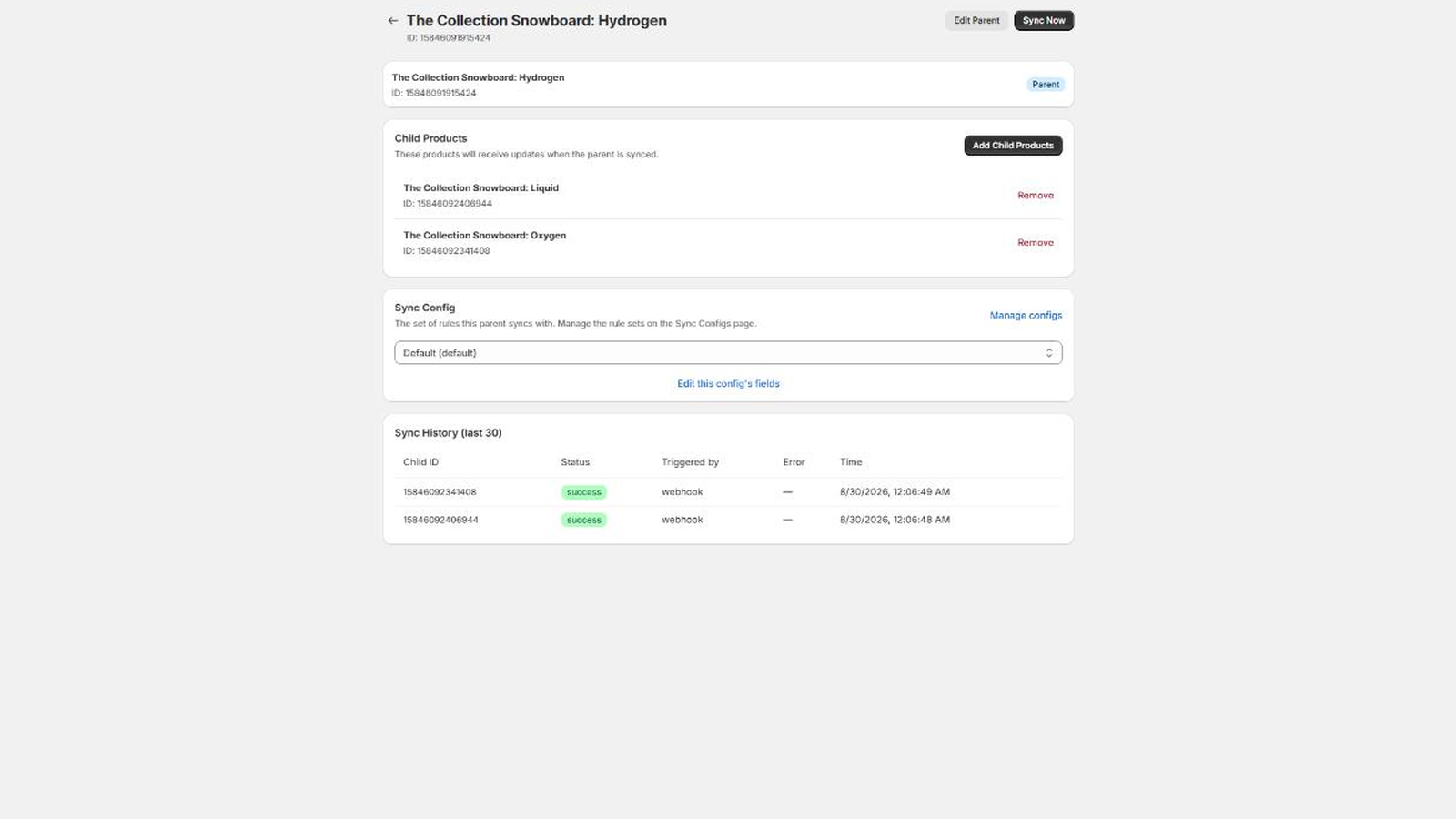
Product Mirroring Wizard makes one of those products the parent and the rest its children. You pick which fields follow the parent, and from then on the children are updated for you.
What it mirrors
Mirroring is opt in, field by field, and grouped the way Shopify’s own product page is:
- Content. Description, vendor, product type, tags, title and status. Title and status are off by default, because a child usually needs its own title and its own published state.
- SEO. The meta title and meta description.
- Images. The parent’s images replace the child’s images completely. Only images are copied, so video and 3D models on a parent are left where they are.
- Metafields. Every product level metafield, or only the namespaces you list.
- Pricing and inventory fields. Price, compare at price, unit price, charge tax, cost per item, barcode, sell when out of stock, weight, country of origin and HS code. The whole group is off by default, and each field inside it is its own checkbox. These live on variants in Shopify, and the app matches a child’s variants to the parent’s by option title, falling back to position.
Some things are never written, whatever the settings say: inventory quantities, warehouse and location assignments, and fulfillment service. Nor does the app touch anything outside the list above. It does not create or delete products, change handles or SKUs, move products between collections, or alter customer or order data.
When it runs
Three ways, and they do the same work:
- On save. Shopify tells the app when a product is updated. If that product is a parent, its children are brought into line a few seconds later.
- On demand. “Sync Now” on a parent’s page pushes the current parent to every child at once.
- In bulk. Select several parents on the dashboard and run “Sync now” across all of them.
Editing a child never pushes anything back up. Mirroring only ever runs parent to child.
What happens to a child’s own edits
A child’s value for a mirrored field is overwritten the next time that parent syncs. That is the point of the app, and it is why the field list is a deliberate choice rather than a default. Fields you have not enabled are never written, so a child keeps its own title, its own price, its own status, for as long as those fields stay unchecked.
Field choices live in a named sync config. A config can be shared by a whole family of products, or you can create a second one and assign it to the parents that need different rules. There is no per field exception for a single child: if a child needs to differ on one field, move its parent to a config where that field is off.
Fitting it into the admin
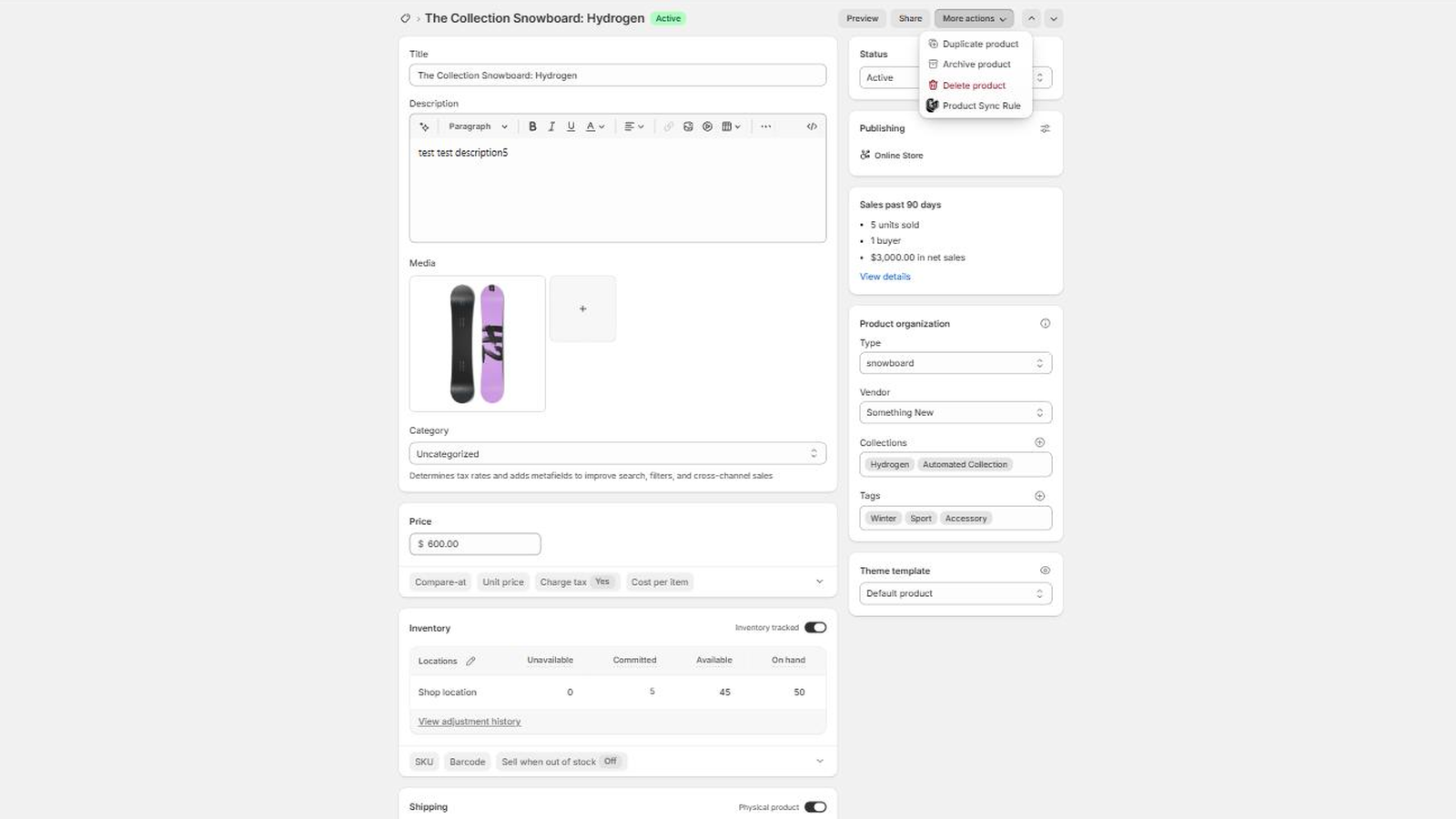
The app adds a “Product Sync Rule” item to the More actions menu on any product page. It takes you to that product’s rule if it has one, to the rule that owns it if it is a child, and offers to make it a parent if it is neither.
The dashboard counts your parents and children, shows how many syncs succeeded and failed in the last seven days, and lets you search parent and child titles or filter by sync config and last sync result. Every sync writes a log row with the child it touched, whether it worked, what the error was, and whether it was triggered by a webhook or by hand.
There is also a recommendations page that scans your catalogue for products whose titles look like variations on each other (the base title with a region or a bracketed suffix), and offers each group as a ready made family. You choose the parent, drop any product that does not belong, and accept.
Who it suits
Stores that maintain deliberate duplicates: regional storefront listings, wholesale twins, per marketplace copies, editions of the same title. It is not a variant tool, and it is not for catalogues where every product is genuinely unique.
Plans and support
The Free plan covers two sync rules. Pro is unlimited, at $5 a month or $50 a year, with a 14 day free trial. The current price is always on the App Store listing. Billing runs through Shopify, on your normal Shopify invoice.
Product Mirroring Wizard is built and run by Ioun Developers. Questions go to hello@ioun.dev. If you are setting it up for the first time, the tutorial walks from install to a first mirrored change, and the documentation covers each part in detail.